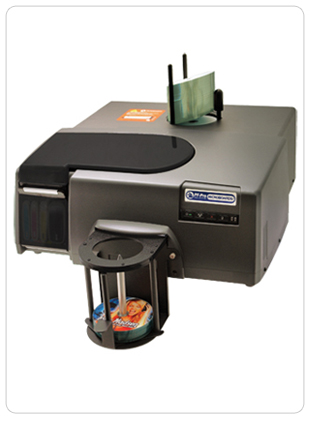
When it comes to disc production in high volumes, the Microboards MX series (MX-1 & MX-2)
is hard to beat in terms of speed, ease, quality, reliability, and cost. You get the same or better quality with a solution built on proven HP inkjet technology, including vibrant HP Vivera inks and the highest (4800 x 1200 dpi) resolution. And our 4th generation disc handling technology reduces vibrations during the printing process, so you’re assured smooth, clean text and images on finished discs.
A 100 disc capacity and throughput of over 500 discs per week (for the MX-2) mean you can effortlessly produce discs in mass quantities. Simply set up your project and walk away. The MX / PF-Pro series, with Microboards enhanced automation for reliable loading and unloading of discs, handles the rest.
The MX/PF-Pro series includes the MX-1 and MX-2 Disc Publishers , with one and two high-speed 20X DVD, 48X CD, 8X Blu-ray recorders, respectively, enabling you to record or copy virtually any disc format, including Dual Layer. Also included in the series is the autoprinter-only version, the PF-Pro High Volume Printer , which utilizes MX-2.
What is your DVD-Video worth? Microboards VideoWrite will help you protect it. VideoWrite is a new, easy-to-use, highly secure method for applying copy protection to DVD Videos produced on Microboards disc publishers.
How it works:
VideoWrite does not rely on ‘tricky’ protection scenarios like adding bad sectors and pointers or requiring a software key on the PC. Instead, VideoWrite wraps the video on the DVD in a protective file that doesn’t interfere with playback but prevents common ripping software programs from accessing the video.
VideoWrite is easy to use with Handisc's publishers running PrintWrite version 1.30 or higher (PC). VideoWrite automatically determines whether the .ISO file being recorded is a valid video format and enables the copy protection option inside PrintWrite.
When you burn an ISO image file with PrintWrite, simply check the box that says “Do you want to use VideoWrite?” PrintWrite will show you the details of the protection before it is applied. When you are ready to apply the protection, push the “Start Protection” button. And when you are ready to burn and print discs, push the same “Start” button that you would normally use to start a job in PrintWrite.
Supported Formats:
DVD Video Only
Supported Media:
DVD+R / DVD-R / DVD-RW / Dual Layer DVD
Solution Strength
VideoWrite has been extensively tested by expert independent test companies to provide reliable levels of protection against copying and ripping. VideoWrite has been tested for playback compatibility and is found to work with 99.88% of the U.S. install base of DVD players.
How to purchase:
VideoWrite is available on a per-disc basis using a USB key pre-loaded with licenses. Licenses are available from Handisc so contact the team on 01264 335118 or info@handisc.co.uk. PrintWrite 1.30 automatically detects the presence of VideoWrite USB licenses. PrintWrite 1.30 is available free to qualified current users of Microboards publishers including the MX-2, MX-1, CX-1, and GX-2 disc publishers.
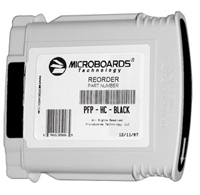
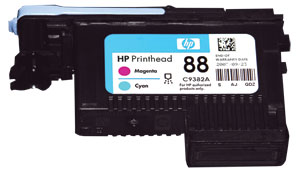
MX-1 & MX-2 Cartridges & Print Heads
MX Series Ink Cartridges |
|
MX Series Print Head |
|
Call 01264 335118
|
|
Tel: 01264 335118 or Email: support@handisc.co.uk